Download PowerLine: Status bar meters free on android
APK file PowerLine 5.8How to install APK / APKS / OBB file on Android
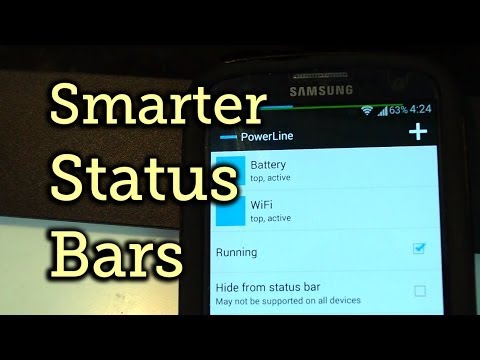

PowerLine - smart indicators in your status bar or anywhere on your screen even on the lock screen!
NEW: Punch hole pie chart!
Indicators ready to use: Battery: Capacity, Drain, Charging speed, Temperature, CPU, Memory, Signal, WiFi, Phone usage, Bedtime, Storage, SMS, Missed calls, Network usage, Compass, Barometer, Humidity, Volume, Screen corners, Monthly / Daily Data usage and more...
NEW: Indicators on lock screen and navbar with Accessibility service
Features
- Any number of indicators at the same time on screen
- Auto-hide in fullscreen
- Material design
- Simplicity
FREE version with two indicators, more indicators with the PRO version.
Tasker: you can create your own indicator with Tasker, just use the following:
package: com.urbandroid.inline, action: com.urbandroid.inline.ACTION_UPDATE, extra: value (0-100) or valuef (0.0-1.0)..
Accessibility Service
In order be able to draw indicators also over the navbar and on lock screen "PowerLine" may ask you to enable its Accessibility Service if you decide to use the cheating protection features. We use this service only to show the indicators in the areas which are normally inaccessible for an app. We do not use the service to collect any personal information.
-Support for custom indicator power by Tasker or other automation app
- LicenseFree
- File namePowerLine
- File Version5.8
- Package namecom.urbandroid.inline
- UploadedJanuary 21, 2026
- CategoryTools
- DeveloperPetr Nálevka (Urbandroid)
- Developer site
- Developer emailurbandroid.info@gmail.com
- Permissionsshow (4)